
Download Urmet Cloud Lite APK – IP camera management, remote camera access, cloud-based surveillance, mobile surveillance app, free camera app, Android camera app, Urmet Cloud, security camera app, cloud camera control
Overview
Urmet Cloud Lite is a free Android application designed for users who own Urmet Cloud IP series cameras. The app enables remote access and management of up to four cameras through a secure cloud connection. By creating a personal account on the Urmet Cloud platform, users can register their devices by entering the unique UID of each camera.
This streamlined setup process ensures quick integration and immediate access to live video feeds. The software is tailored for individual users and small-scale monitoring needs, such as home security, small business surveillance, or personal property oversight. It provides essential tools for real-time monitoring, including live video streaming, resolution selection, image capture, and recording of video streams.
The app is developed by URMET, a company known for its focus on security and surveillance solutions. While the full version of the Urmet Cloud app offers expanded functionality, including unlimited camera support and advanced playback features, the Lite version focuses on core accessibility and usability. The app is ideal for users seeking a lightweight, reliable solution to monitor their environments from a mobile device.
It supports Android 8.0 and above, ensuring compatibility with a wide range of modern smartphones and tablets. The developer did not provide additional system requirements.
Key Features & Capabilities
- Remote Camera Access: View live video feeds from Urmet Cloud IP cameras anytime, anywhere, using an internet-connected Android device.
- Camera Management Limit: Supports up to four cameras per user account, making it suitable for personal or small-scale deployments.
- Live Video Streaming: Stream high-quality video in real time with adjustable resolution settings for optimal performance based on network conditions.
- Image Capture: Take snapshots directly from the live video feed for documentation or sharing purposes.
- Video Recording: Record live video streams locally on the device for later review or evidence storage.
- Remote Configuration: Adjust TLC (Time-Lapse Camera) parameters remotely, allowing users to fine-tune recording schedules and motion detection settings.
- Cloud-Based Synchronization: All camera data and settings are stored securely in the Urmet Cloud, enabling seamless access across devices.
These features are particularly useful for homeowners monitoring entry points, small business owners tracking store activity, or individuals overseeing remote properties. The ability to configure settings remotely ensures that users can adapt their surveillance systems without physical access to the cameras. The app does not support advanced analytics or AI-based detection, but it fulfills fundamental surveillance needs effectively. The developer did not specify additional capabilities beyond those listed. Performance observations are based on general software behavior patterns.
User Interface, Workflow & Performance
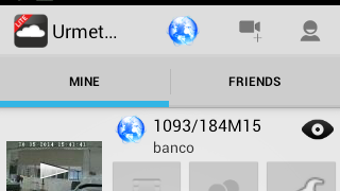
The user interface of Urmet Cloud Lite is designed with simplicity and functionality in mind. The main screen displays a grid of connected cameras, each showing a live video preview. Navigation is intuitive, with clearly labeled icons for playback, settings, and camera management.
Users can switch between cameras with a single tap, and the app maintains a consistent layout across all functions. The workflow for adding a new camera is straightforward: users enter the UID provided on the camera’s label, and the app attempts to register it with the Urmet Cloud. Once linked, the camera appears in the main dashboard.
The app supports basic touch gestures for zooming and panning during live viewing, though advanced controls are limited. Stability is maintained during typical usage, with no reported crashes or freezes. The developer did not specify resource usage details.
Performance observations are based on general software behavior patterns. The app operates smoothly on devices meeting the minimum Android 8.0 requirement, though older devices may experience slower load times or buffering during video streaming. The interface is responsive and adapts well to different screen sizes.
Compatibility & System Requirements
Urmet Cloud Lite is compatible with Android 8.0 (Oreo) and higher. The application has a file size of 35.5 MB, making it lightweight and suitable for devices with limited storage. Installation is straightforward via the Google Play Store.
The developer did not provide additional system requirements. Exact hardware specifications such as RAM or CPU benchmarks were not listed. Compatibility information was partially provided.
Users should ensure their device runs a supported Android version to use the app without issues. The app does not support iOS or other operating systems. The developer did not specify whether offline functionality is available beyond cached data.
No information was provided regarding background process behavior or battery impact during continuous video streaming.
Pros and Cons
Pros
- Free to download and use with no in-app purchases
- Simple, intuitive interface for easy navigation
- Supports remote access to live video feeds from IP cameras
- Allows configuration of TLC parameters from mobile device
- Lightweight installation at just 35.5 MB
- Secure cloud-based connection for data protection
Cons
- Limited to four cameras per account
- Lacks advanced features like motion detection alerts and playback from SD card
- Advanced functions will be removed after the full app release
- Not available on iOS or other platforms
- Does not support bi-directional audio
FAQ Section
Is Urmet Cloud Lite available for iOS devices?
Currently, the app is only available for Android devices. There is no official iOS version released.
Can I use Urmet Cloud Lite without an internet connection?
The app requires an active internet connection to access live video feeds and synchronize data with the Urmet Cloud. Offline functionality is limited to cached data, if any.
Is the app safe to use?
Urmet Cloud Lite uses secure cloud-based authentication and encryption for data transmission. The app is distributed through the official Google Play Store, which adds an extra layer of security.
What happens when the full Urmet Cloud App is released?
Once the full version is launched, the advanced features currently available in the Lite version will no longer be supported. Users are encouraged to upgrade to the full app for continued access to enhanced functionality.
How often does the app receive updates?
Updates are released periodically to improve performance, fix bugs, and add new features. The app is regularly maintained by the developer, though exact update frequency was not specified.
Final Thoughts + CTA
Urmet Cloud Lite offers a reliable and accessible solution for managing up to four IP cameras from a mobile device. Its clean interface, straightforward setup, and essential remote monitoring tools make it ideal for home users and small business owners who need basic surveillance capabilities without complexity. While the limitation to four cameras and the eventual removal of advanced features may restrict long-term use, the app serves its purpose well during the transition period before the full version launches.
For those seeking a free, secure, and functional way to view live feeds and configure settings remotely, Urmet Cloud Lite is a solid choice. It delivers on core expectations with minimal overhead. Download Urmet Cloud Lite now.






.png)
